
An app PIN and a transaction PIN
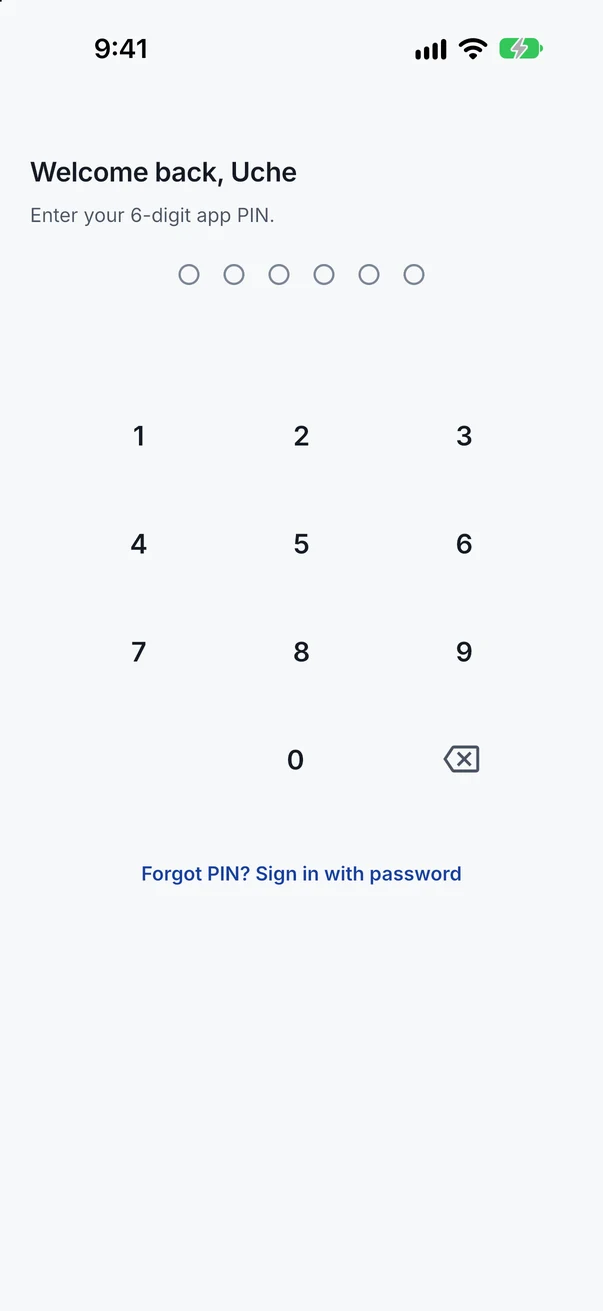
One PIN opens the app on your phone. A different PIN approves every payment, so nothing moves without you.
Features
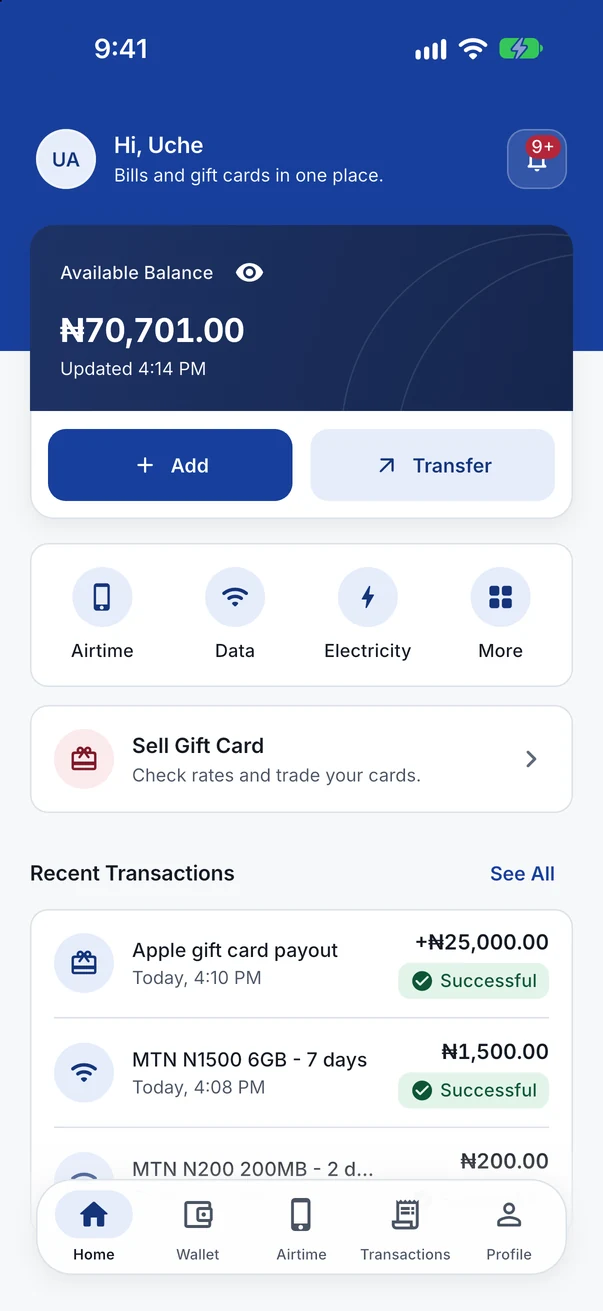
Bill payments, gift card sales and the protection around every payment, all in one app.
Bills
Choose a service, enter the details, check the total and approve with your transaction PIN.
Gift cards
Sell the cards listed in the app to AppluxMax. You see the rate before you send anything.
Pick the card and its type from the list in the app.
Enter the card value to see the rate and what you will receive.
Send clear photos of the card. It costs nothing to submit.
Once your card is verified, your Naira goes straight into your AppluxMax wallet, and the app lets you know.
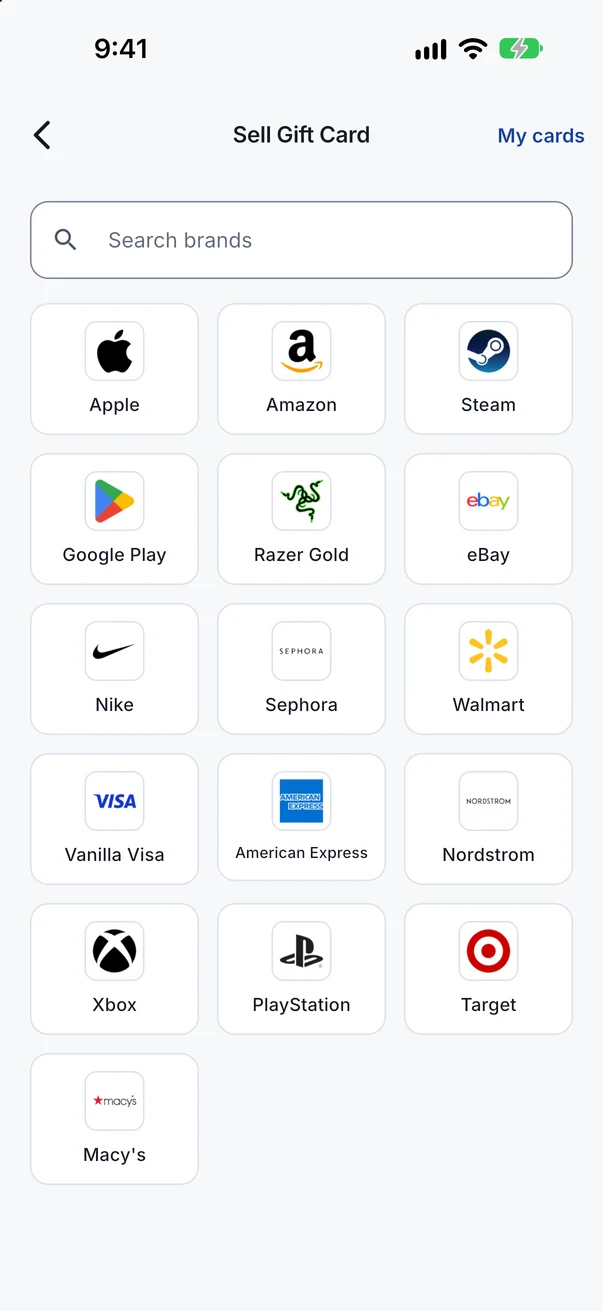
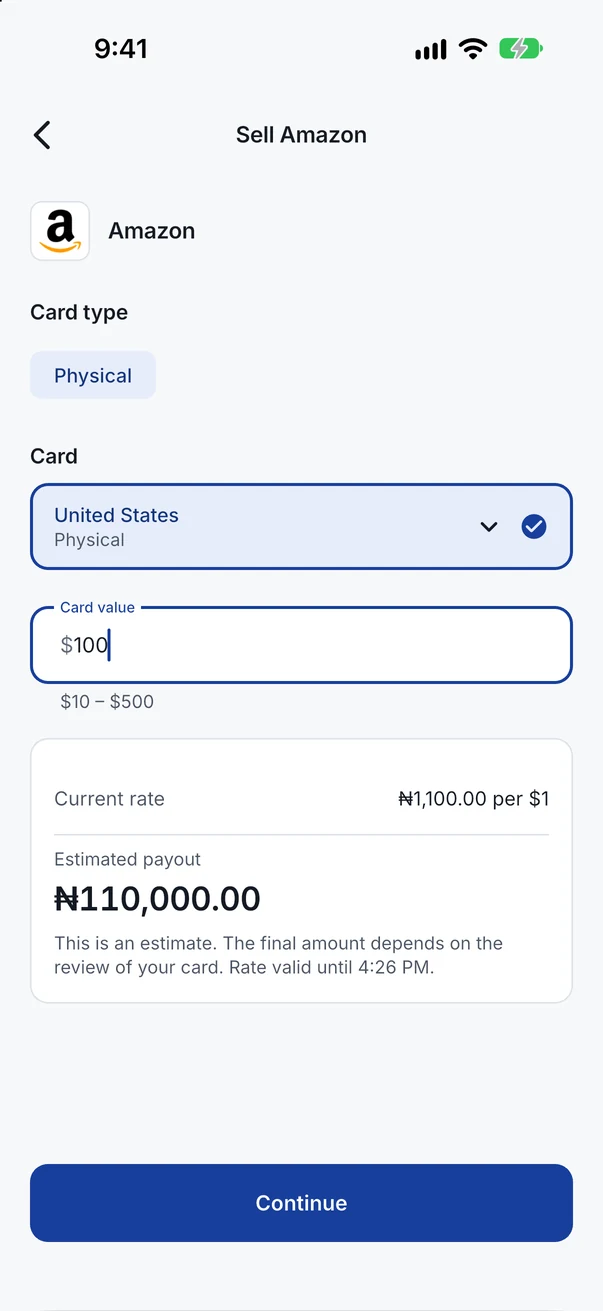
Every card you send shows as Pending, Successful or Rejected, with the reason when a card is rejected.
If a card turns out to be worth less than you entered, we can pay for its real value at the same rate, and we tell you why.
Security
These protections are part of the app, not settings you have to find.
One PIN opens the app on your phone. A different PIN approves every payment, so nothing moves without you.
Open the app with your face or fingerprint if your phone supports it. Payments still need your transaction PIN.
When you switch apps, AppluxMax hides its screen, so your balance and details stay private.
We let you know about important account activity, such as signing in on a new phone or changing your password.
Sell gift cards for Naira and pay your bills, in one app for Android and iOS.
Questions first? Talk to support

